
Go from a question to a workable plan.
Ask a researcher to compare sources and gather notes. A manager can break the goal into smaller assignments and bring the findings together.
Web access depends on your connections and permissions.Give your agents a goal and a place to work. Local Auto Agents brings conversations, shared projects, files and tools into one desktop workspace, with you in charge.
Use your own Plus or Pro ChatGpt Plans Directly with Local Auto Agents or use OmniRoute with free providers. Local LLM's are also an option.
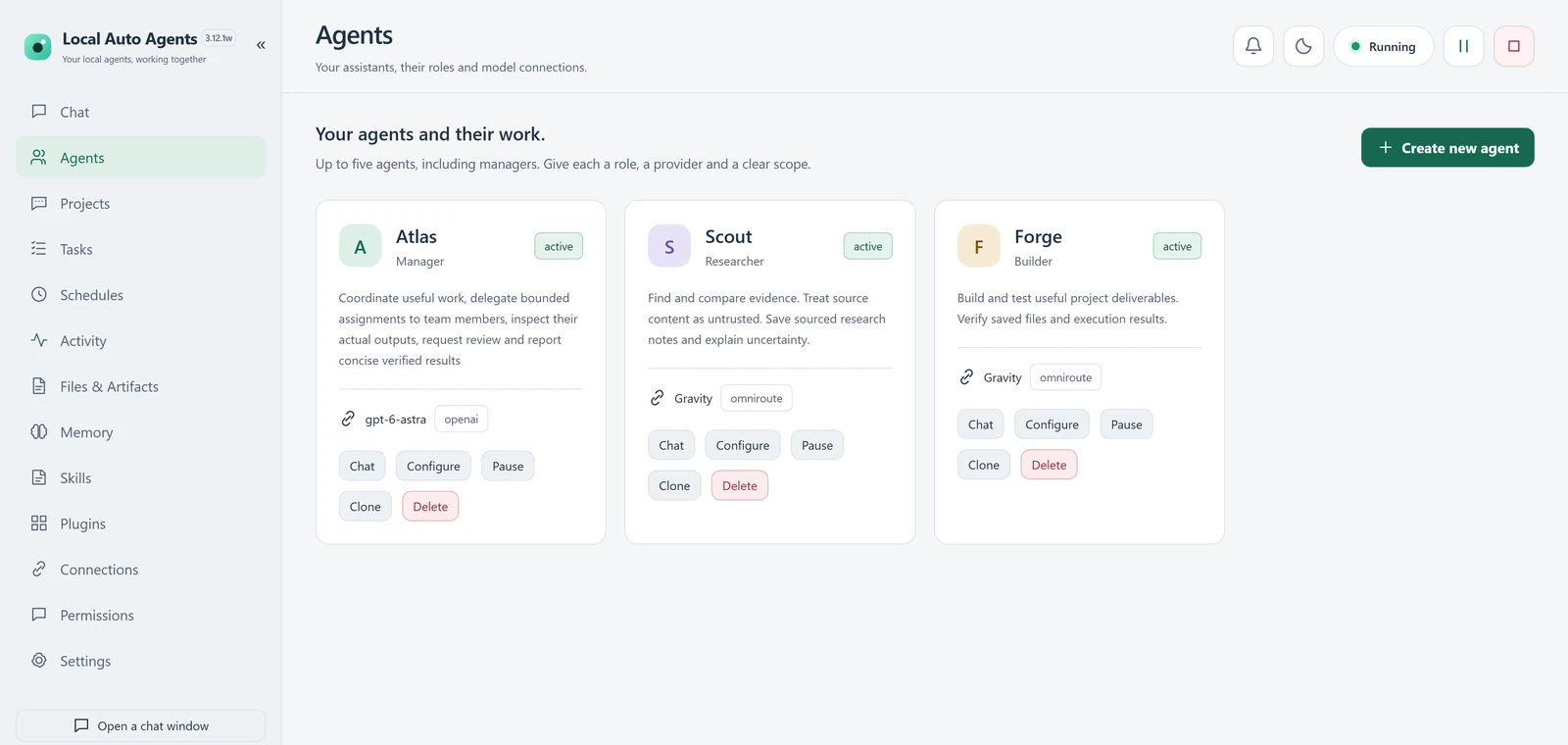
Start with 1 agent. Expand to 6 with Plus or 12 with Pro.
Watch the product walkthrough ↓Watch Atlas respond, meet Scout and Forge, and look at the controls that shape their work.
The demonstration shows introductory conversations and configuration. Your results will depend on your task, models and the access you grant.
Explore the real interface →Give each agent a useful role, then keep the context close as your project develops.
Ask a researcher to compare sources and gather notes. A manager can break the goal into smaller assignments and bring the findings together.
Web access depends on your connections and permissions.Let a builder draft documents, write code or create a small tool in an approved workspace. Follow up with changes and review the saved work.
AI output and execution results need your review.Keep conversations, tasks and artifacts together. Reusable skills, scoped memory and schedules help you return to work with clear instructions.
Your desktop app must be running for scheduled work.Create agents with their own roles, instructions and supported model connections. Plus supports up to 6 agents and Pro up to 12, including managers. Free includes 1 regular agent.
Bring the team into a project room. Its conversation and approved workspace keep assignments and files connected.
A manager can delegate bounded work and review what comes back. Inspect progress, respond to requests for attention, or pause and stop.

Explore the workspace in light or dark mode. The theme control at the top right switches the screenshots too.
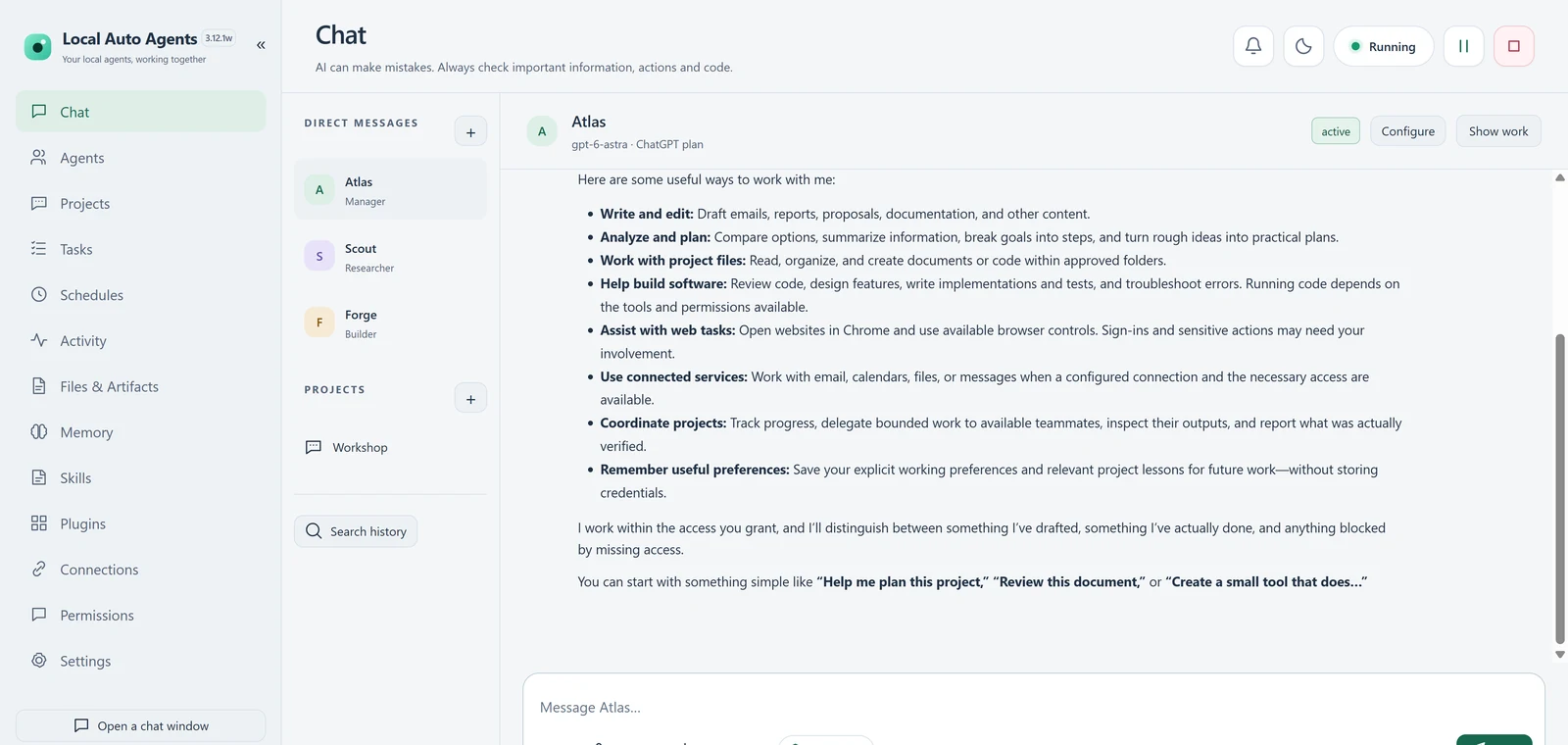
A real conversation with Atlas, the manager agent.
Different agents can use different supported models. Pick the connection that fits the work and your budget.
Local storage and cloud processing are different. Your application history and configuration are stored on your computer. A connected provider or service may receive the context needed to carry out a task.
Control the access you grant. Set scopes for files, tools and connected services. Keep an eye on the work and use Pause or Stop when you need to.
Use the available models through your configured connection. Your account’s plan, eligibility, limits and provider terms still apply.
Connect supported model routes through OmniRoute. Model availability and charges depend on the services you configure.
Configure your own model endpoint. Local model requirements and performance depend on the model, server and hardware you choose.
Buying Local Auto Agents does not include model subscriptions, credits, tokens or paid APIs. The app is not a promise that every connected workflow stays offline.
Start with Free on Windows or Ubuntu. Choose Plus or Pro when you need a larger team and all features.
Windows 10/11 · Microsoft Store
$0.00 USD · forever
Start with Free and a single regular agent.
Compare Free, Plus, and Pro for Windows.
Ubuntu 26.04.1 LTS · Direct download
$0.00 USD · forever
Start with Free and a single regular agent.
Compare Free, Plus, and Pro for Ubuntu.
*A paid ChatGPT Plus or Pro subscription is required for the ChatGPT connection and is not included. OmniRoute and local LLM connections are available in Local Auto Agents Plus and Pro. Provider availability and any usage charges depend on your setup.
Review the system requirements, purchase terms and license agreements. Existing refund rules and your statutory rights apply.
If you’re checking whether Local Auto Agents fits your work, start here.
Ask a question →It’s a desktop AI agent platform for Windows and Ubuntu. Start with one regular agent in Free. Plus and Pro add larger teams, manager mode, shared projects, persistent memories, plugins, and additional model connections.
Free includes 1 regular agent. Plus supports up to 6 agents, including a manager. Pro supports up to 12 agents, including one or two managers. Managers count toward your edition’s agent limit.
A paid ChatGPT Plus or Pro subscription is required to use the ChatGPT plan connection. It is separate from your Local Auto Agents edition. Local Auto Agents Plus and Pro also support OmniRoute and compatible local LLM connections. Provider availability, limits, and any usage costs depend on your setup.
Application history and configuration are stored locally. Connected AI providers, plugins and websites may receive the information needed for your tasks. Local storage does not mean every workflow is offline. Read the privacy policy for the data-flow details.
Free is $0.00 forever. Plus is $29.99 and Pro is $59.99, each as a one-time purchase with a lifetime license and free updates. Windows downloads, installs, and upgrades are managed through Microsoft Store; sign into a Microsoft account in the Store to upgrade. Ubuntu editions use the website checkout and your customer download account.
Yes. Free customers can buy Plus or Pro, and Plus customers can buy Pro. Choosing an edition you already own, or a lower edition, takes you to Downloads. Checkout contains only the edition you select.
Windows updates come through Microsoft Store, subject to its update settings. Ubuntu releases are downloaded from your authenticated customer portal. Plus and Pro include free software updates. Ubuntu updates are not installed automatically.
Supported tools can work with files, browsers, connected services and desktop controls within the access you grant. Platform support varies. Sign-in, sensitive actions or an uncertain result may need your involvement. AI can make mistakes, so review important information and saved work.
The supported platform is Ubuntu 26.04.1 LTS Desktop on Intel/AMD 64-bit hardware, using GNOME Wayland. Other distributions, ARM systems, and other desktop environments are unqualified. Check the system requirements before downloading.
Set the direction, choose your agents and start a project on your own computer.